CHINESE KEYBOARD · ANDROID · FREE
Learns how you type. Never gets worse.
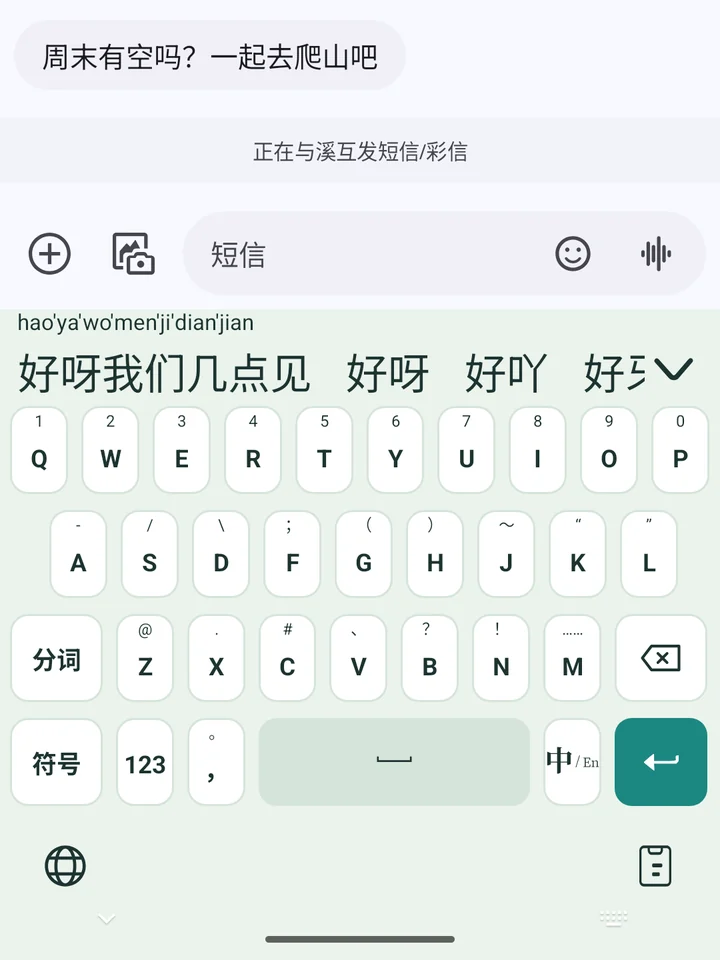
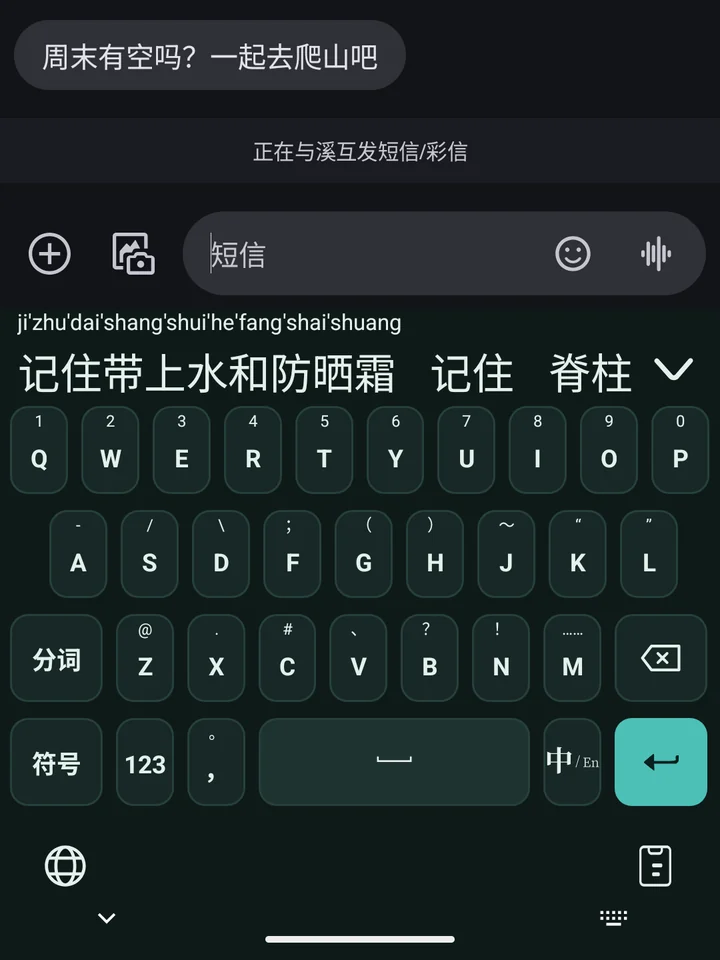
Type a whole sentence of pinyin in one go, hold the mic to talk, and get the right spelling when an English word comes out wrong. The learning rules are our own: one wrong pick won’t mess things up, and you can see and delete every word it learns. Everything you type stays on your phone.
Free · No sign-up · No network permission · App in Chinese
FOUR THINGS
Just typing, done well
No news feed, no ads, no store. Threebrook Input sticks to getting your words in quickly and correctly, and does these four things well.
Whole sentences
Type the pinyin for a whole sentence; the sentence comes first and Space enters it. Initials work too: zgrm gives 中国人民.
Learns your words
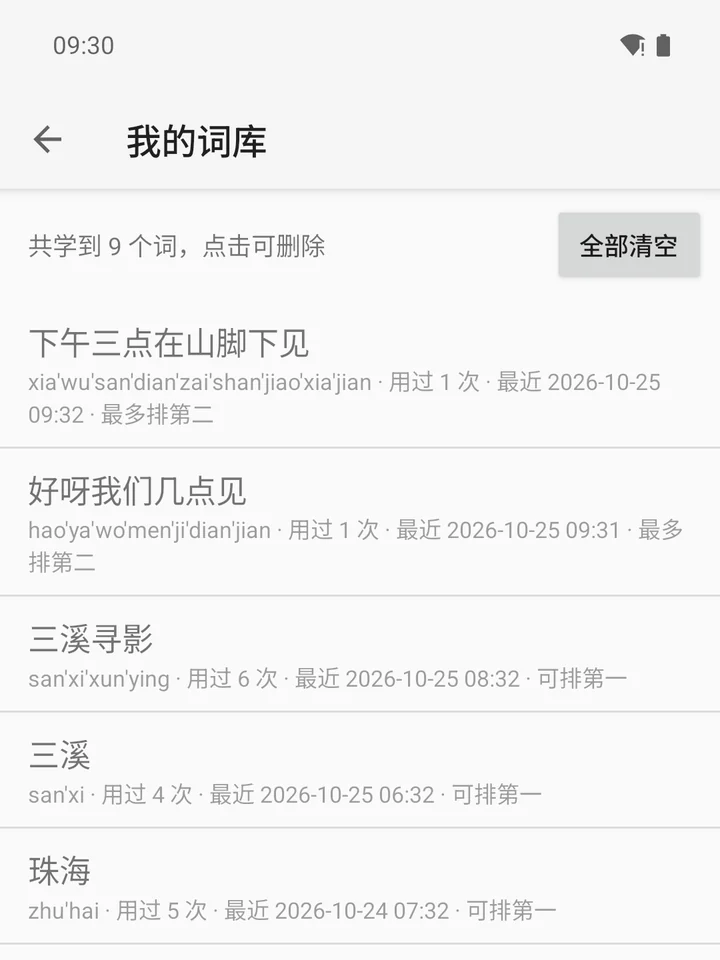
Words you use move up over time, and one wrong pick won’t shuffle things. Everything it learns is listed in My words.
Hold to talk
Hold the mic, speak, let go, with punctuation added for you. Mandarin, English, Cantonese, Japanese and Korean, recognized on your phone.
English spelling
Type tomorow and tomorrow is right there among the candidates. Space still enters what you typed; it never changes your words behind your back.
THE KEYBOARD
A clean, quiet keyboard
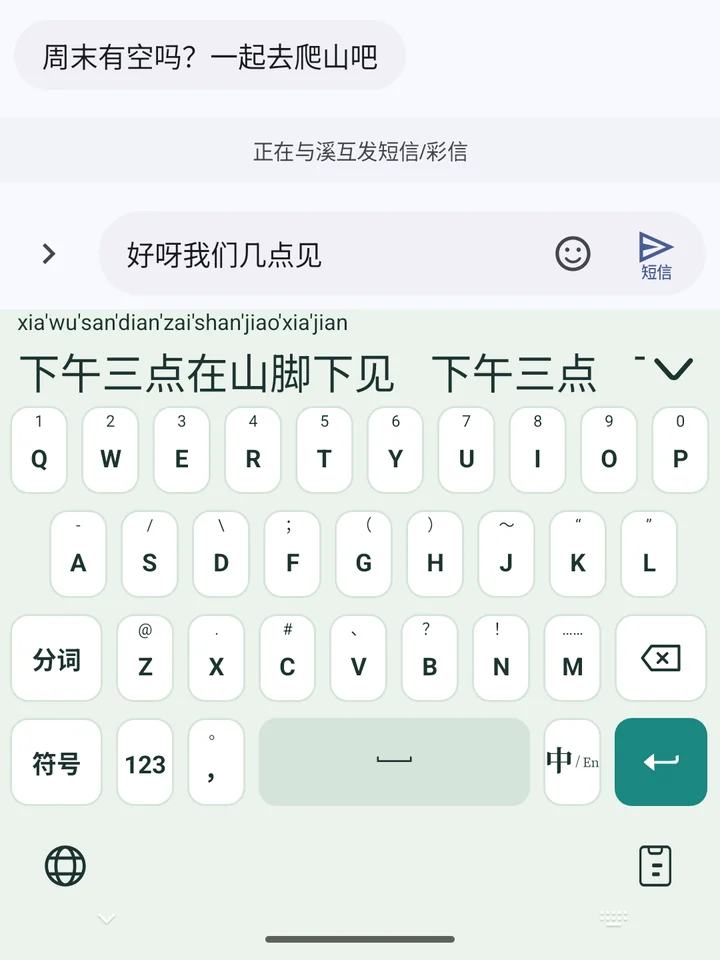
- Type the pinyin for a sentence without stopping to pick each word
- The full sentence comes first; Space enters it
- To change one word, pick the later candidates part by part
Example: xiawusandianzaishanjiaoxiajian → 下午三点在山脚下见
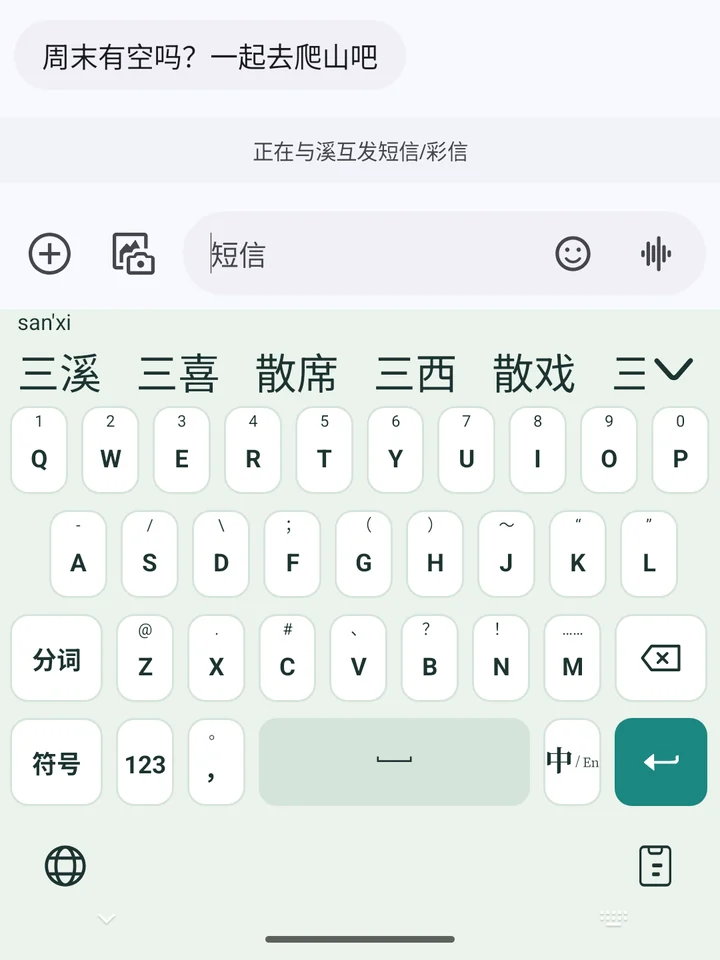
- A word you build character by character is remembered as a whole word
- About 3 uses to reach first place, so a one-off doesn’t take over
- Full pinyin, double pinyin and 9-key share one record
Example: pick 三, then 溪. After a few times, typing sanxi puts 三溪 first
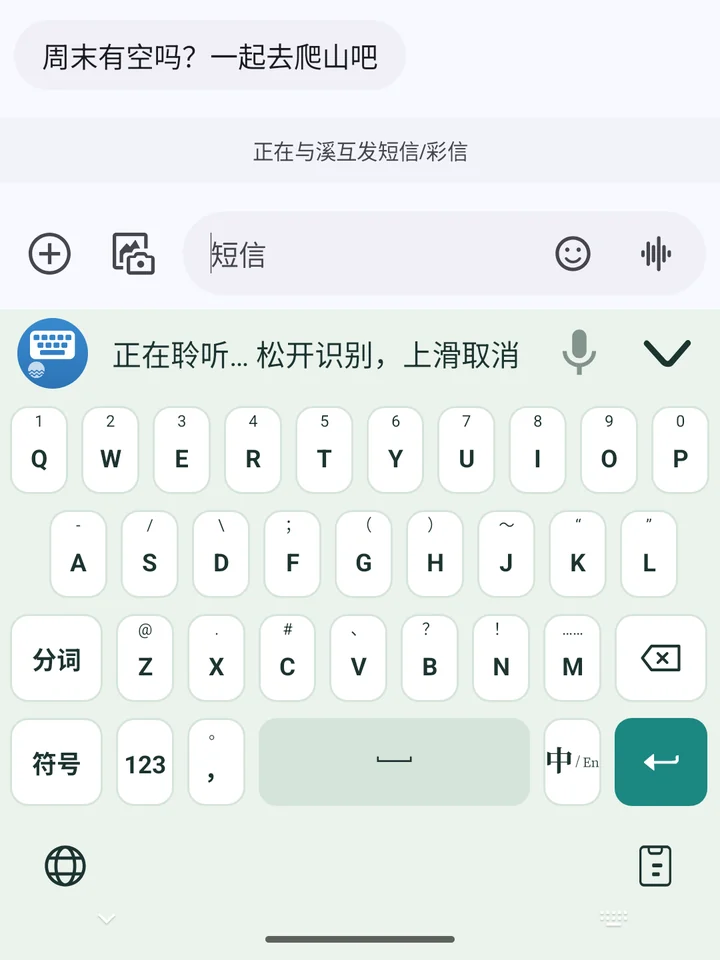
- Mandarin, English, Cantonese, Japanese and Korean, with punctuation
- Slide up before letting go to cancel
- Recognized on your phone; recordings aren’t saved or uploaded
The voice model is about 228 MB; import it once in settings when you need it. See Help
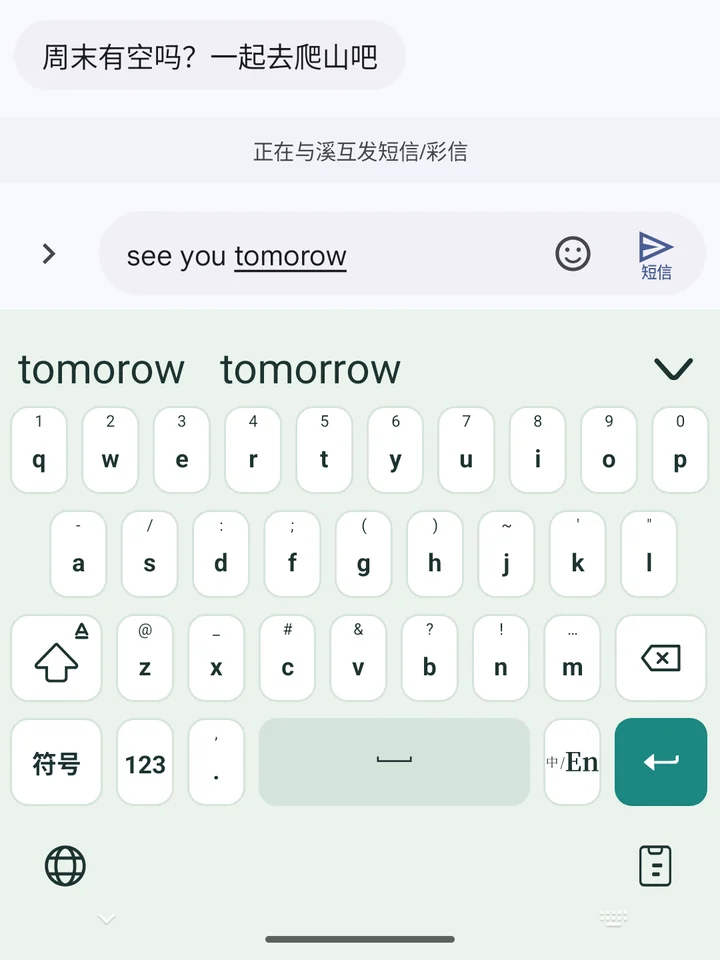
- Tuned for phone keyboards: hitting a neighboring key or swapping two letters counts as a small slip
- Common shortcuts like dont and im give don't and i'm
- Correctly spelled words get no suggestions, so nothing gets in your way
Examples: tomorow → tomorrow, recieve → receive, beautifull → beautiful
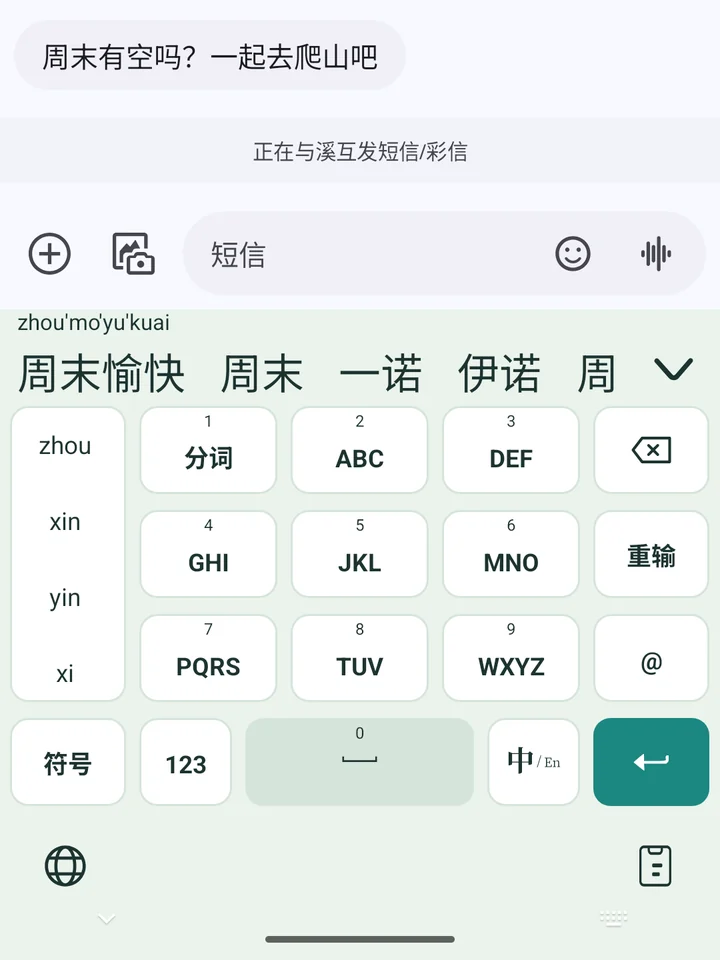
- The keypad that’s easiest to use with one hand
- Pick the pinyin in the left column when keys are ambiguous
- Whole sentences and learned words work just the same
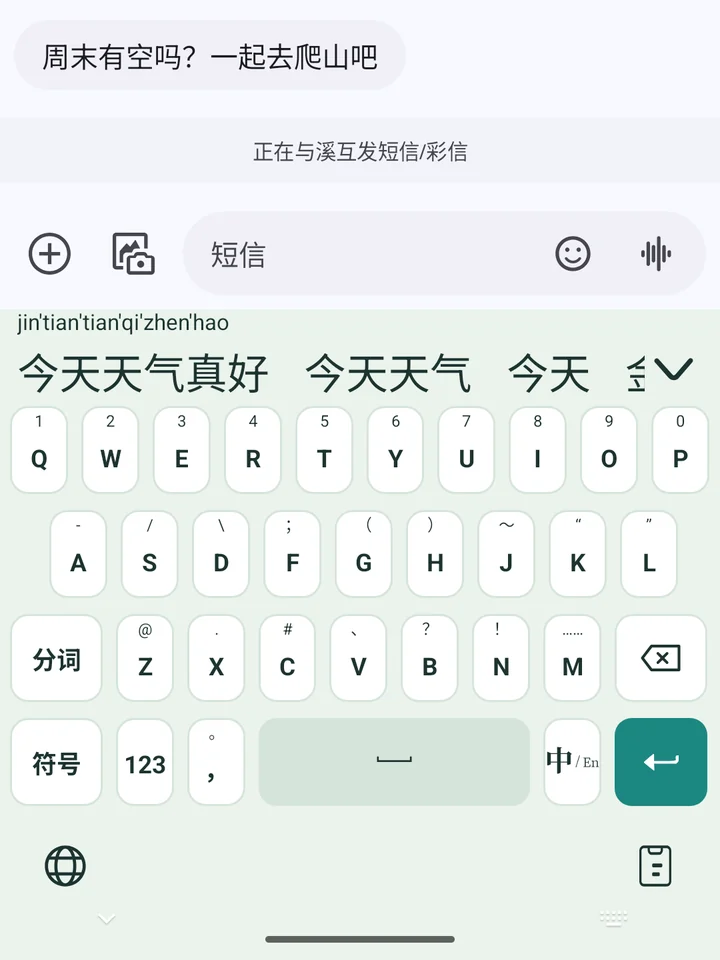
- Common layouts such as Xiaohe and Ziranma, plus Luanxu 17; choose one in settings
- Keys can show the finals, which helps while you learn a layout
- The full pinyin shows above the candidates, so typos are easy to spot
HOW IT LEARNS
Gets better the more you use it, not worse
Some keyboards move a word to first place the moment you pick it. Tap 实践 by mistake once, and from then on typing shijian no longer gives 时间 first. The longer you use them, the messier the candidates get. Threebrook Input uses its own rules instead:
A word needs about 3 uses before it can come first; until then it’s second at most. Your everyday words don’t drop down because of one slip.
Picked the wrong one and deleted it right away? That use isn’t recorded. It only counts once you’ve moved on.
A word’s weight halves every 30 days. Words you used to type but no longer do drift back to where they were.
My words lists every learned word: how often you’ve used it, when you last did and where it ranks. Tap to delete any you don’t want.
Never learned: English, anything longer than 20 characters, and anything typed in password fields or private browsing.
LAYOUTS
Type the way you’re used to
Pinyin on a full keyboard: whole sentences, phrases or just the initials.
The one-handed favorite, with whole sentences and learned words working just as well.
Common layouts such as Xiaohe and Ziranma, plus Luanxu 17.
Type hello or wechat in Chinese mode and the English word comes first.
Chinese and English punctuation, math symbols, kaomoji and emoji, with recent ones first.
Paste something you copied with one tap; save addresses and replies you type often as phrases.
PRIVACY
What you type stays on your phone
A keyboard sees everything you type: chats, searches, addresses, card numbers. That’s why Threebrook Input was built without network permission from the start. Typing, learning and speech recognition all happen on your phone.
The app asks for only two permissions, vibration and microphone. Without network access, it can’t send anything anywhere.
It records only while you hold the mic and discards the audio after recognition, never saving a file. The voice model lives on your phone.
Learned words are kept only on your phone. Review or delete them in My words any time; uninstalling removes everything.
Password fields switch to English. Nothing typed there or in private browsing is learned, and copied passwords stay out of clipboard history.
No account, no analytics, no ads. You can check the permissions yourself in Settings › Apps › Threebrook Input › Permissions: the microphone is the only one you can switch (vibration doesn’t need approval). See the privacy policy.
Built on open source
Threebrook Input is built on the open-source Yuyan IME and the Rime input method engine. Speech recognition uses sherpa-onnx and the SenseVoice model, and spelling correction uses the FrequencyWords list. On top of these, we rewrote the learning rules, added offline voice input and English spelling correction, and gave the keyboard Threebrook’s colors. The licenses for each component are in the license agreement.
- Yuyan IME · BSD-3-Clause
- Rime · BSD-3-Clause
- sherpa-onnx · Apache 2.0
- SenseVoice · FunASR model license
- FrequencyWords · CC BY-SA 4.0
Switch to a quieter keyboard
Free · Android 6.0 and later · No sign-up; install it and start typing